Neo4j-Browser becomes unresponsive with large query results #1003
Conversation


 huboneo
force-pushed
the
perf-issue-wip
branch
from
huboneo
force-pushed
the
perf-issue-wip
branch
from
c2f2c14 to
801d5a7
Compare
huboneo
force-pushed
the
perf-issue-wip
branch
from
b99317b to
e4d3bdd
Compare

 oskarhane
left a comment
oskarhane
left a comment
oskarhane
left a comment
There was a problem hiding this comment.
Some really good stuff in here.
Some comments:
-
I get somewhat inconsistent results. If you have the movies database and set the "Max field items" to
1and executeMATCH p=()-[r:ACTED_IN]->() RETURN p LIMIT 25I see two nodes in the viz.
But switching to table view I see 25 node objects. -
The limitations we already have with "Max Rows" in table view + "Initial node display" in viz, maybe those should be removed and replaced by this one (since this operates at a lower level)?
-
I don't see a truncation message in the viz's statusbar.
-
Maybe not part of this PR, but just to point it out, property size is also a performance killer (try returning a node with a property of 1MB).
| }, | ||
| { | ||
| maxFieldItems: { | ||
| displayName: 'Max field items', |
There was a problem hiding this comment.
"field items" is not very clear what it means. Maybe "Item Limit" or or something to make it more clear?
"Field" isn't a word we regularly use except deep in the driver response.
| const resultJson = JSON.stringify( | ||
| request.result.records, | ||
| fieldLimiterFactory(maxFieldItems), | ||
| 2 | ||
| ) |
There was a problem hiding this comment.
Since this only does JSON.stringify and only executes when the user switches to this tab, can we skip the truncation here?
The purpose of the code tab/view is to give the developer a window into what's being returned from the driver without any formatting.
There was a problem hiding this comment.
Unfortunately not, even JSON.stringify() gets overwhelmed with large result fields
| expect(out.nodes.length).toEqual(4) | ||
| }) | ||
| test('should find items in paths with segments', () => { | ||
| test('should find items in paths with segments, and only return unique items', () => { |
 huboneo
force-pushed
the
perf-issue-wip
branch
from
huboneo
force-pushed
the
perf-issue-wip
branch
from
e4d3bdd to
0f066d3
Compare

|
@oskarhane thank you for your feedback.
|
oskarhane
left a comment
oskarhane
left a comment
There was a problem hiding this comment.
Thanks for the update on this.
Result bug
I still get mismatches between the different view though.
To reproduce:
- Load the common movie dataset
- Set the limit to 1
- Run
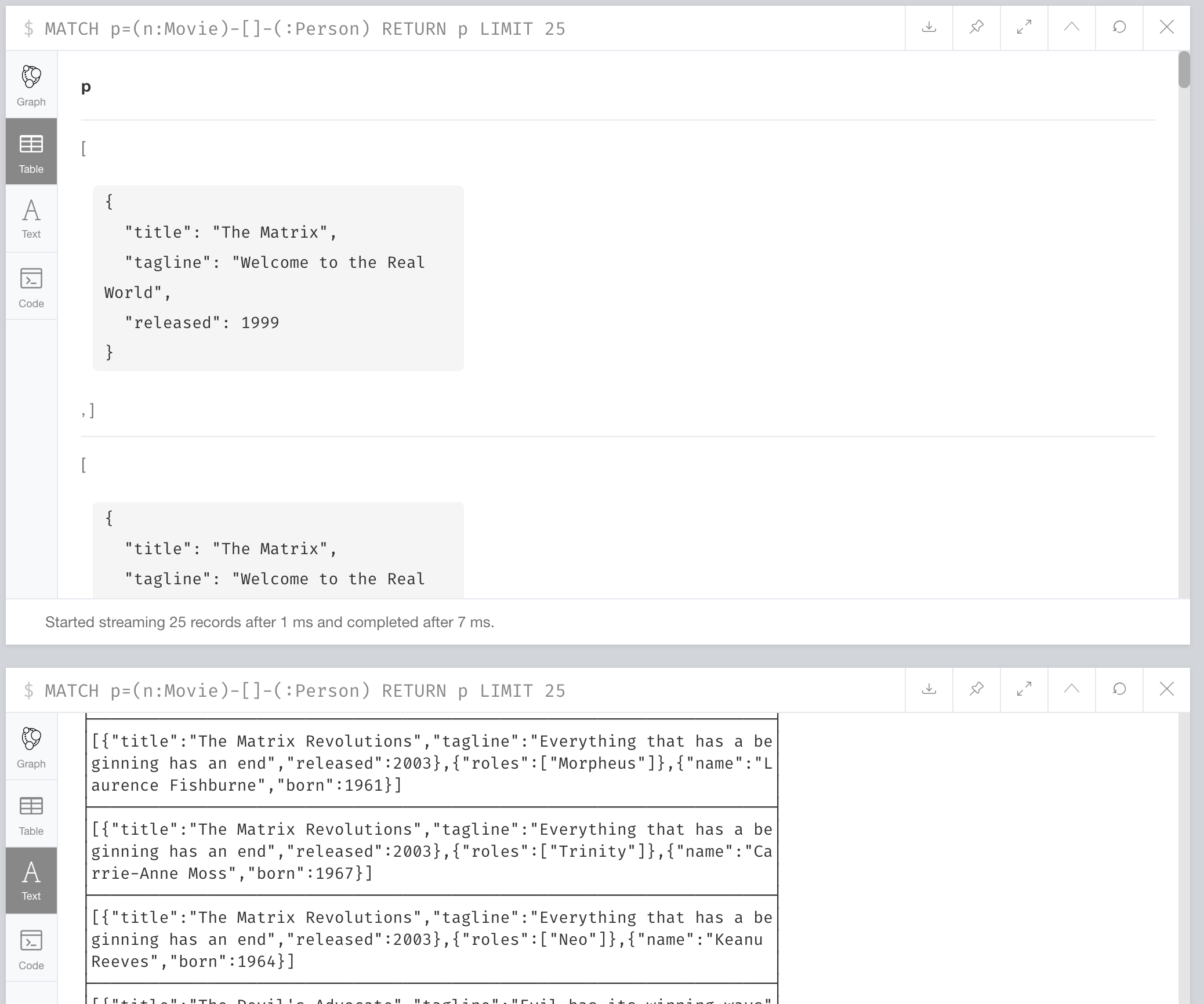
MATCH p=(n:Movie)-[]-(:Person) RETURN p LIMIT 25and compare the views. The table view only sees one item per row while viz and text show the whole path.
See:
Phrasing
I've re-tought the phrasing as well and I think it's ok to use the word "fields" as this is the first time we describe the records width to users. So sorry about the back-and-forth on that.
I've suggest what wording to use via comments.
| <Ellipsis> | ||
| {this.state.hasTruncatedFields && ( | ||
| <StyledTruncatedMessage> | ||
| <Icon name='warning sign' /> Result fields have been |
There was a problem hiding this comment.
"Result fields" => "Records fields"
| }, | ||
| { | ||
| maxFieldItems: { | ||
| displayName: 'Property item limit', |
There was a problem hiding this comment.
"Record field limit" describes this better imo. wdyt?
| maxFieldItems: { | ||
| displayName: 'Property item limit', | ||
| tooltip: | ||
| 'Max amount of items shown for list properties. When reached, lists get truncated.' |
There was a problem hiding this comment.
"Max number of fields per record being handled" is more clear imo. wdyt?
| <StyledInspectorFooterRowListValue className="value"> | ||
| {this.props.hasTruncatedFields && ( | ||
| <StyledTruncatedMessage> | ||
| <Icon name="warning sign" /> Result fields have been |
There was a problem hiding this comment.
"Result fields" => "Records fields"
|
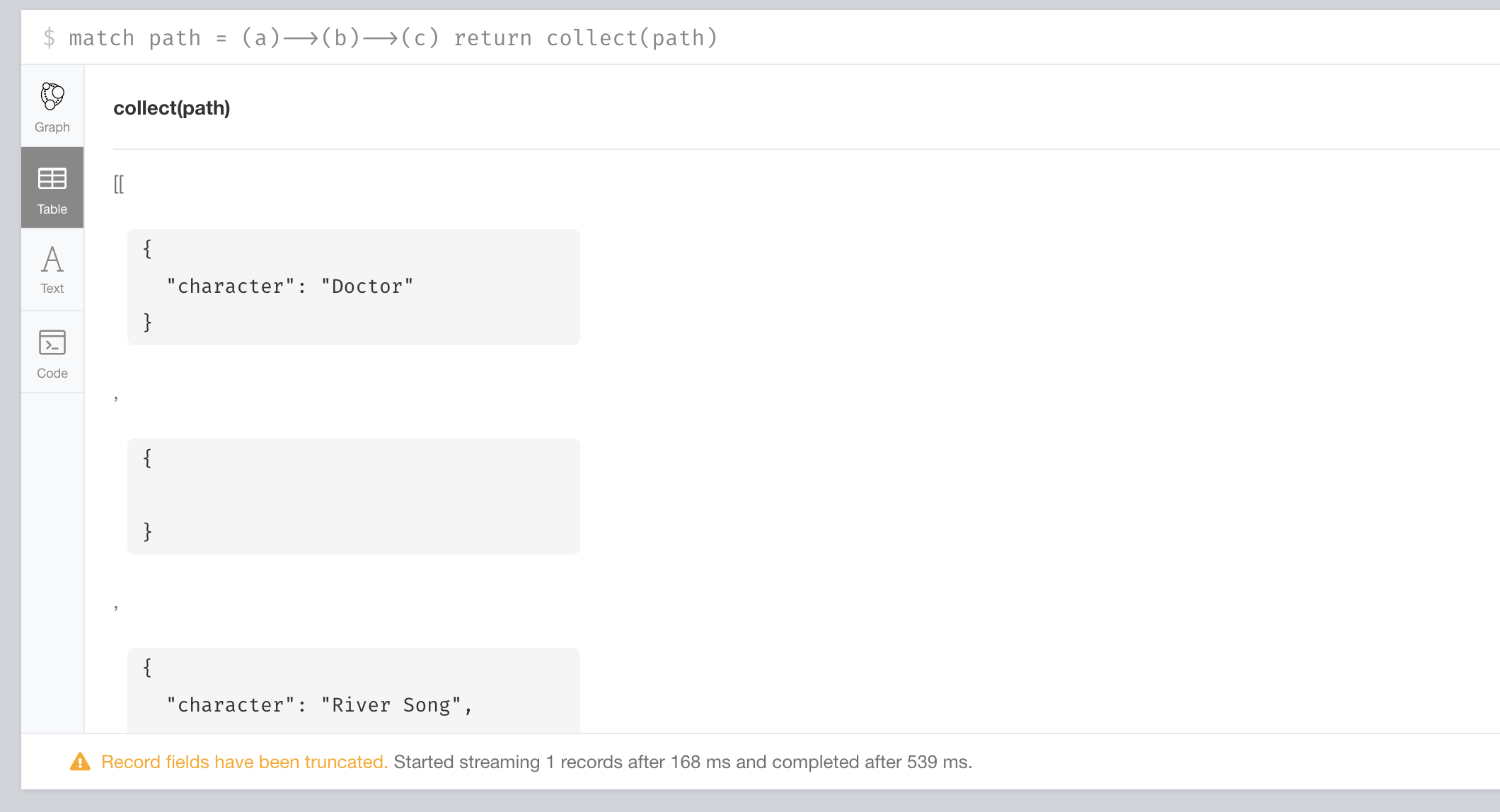
@oskarhane thank you again for your feedback. I have updated the PR. Tests are still failing I believe |
|
|
There was a problem hiding this comment.
Thanks for the update!
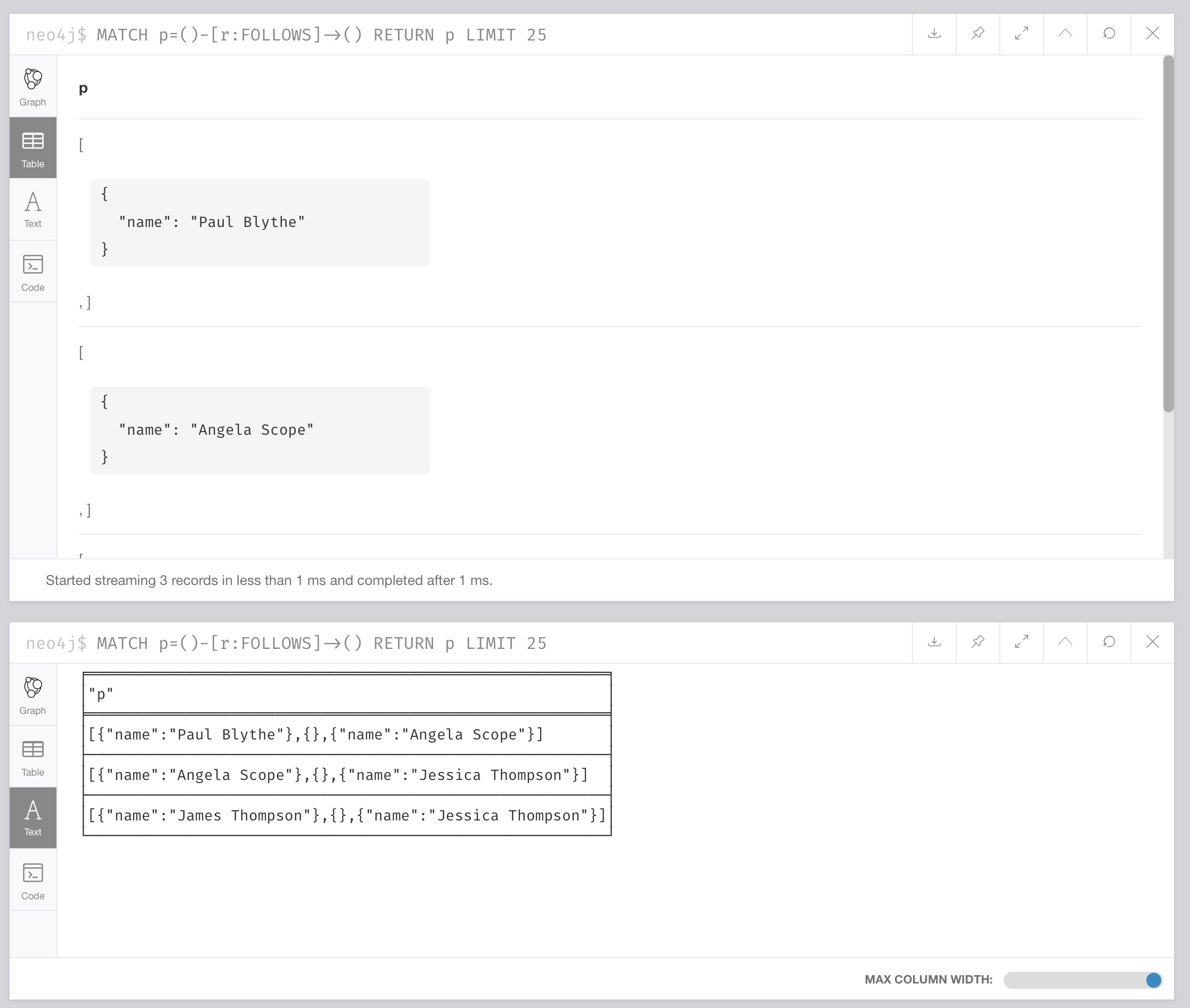
I still see different results in table vs text view. They should be the same. The viz does some magic with internal relationships, but not the different table views.
- Load movie dataset
- Set limit to 1
- Run
MATCH p=()-[r:FOLLOWS]->() RETURN p LIMIT 25and compare table and text views.
👍 on the wording changes.

|
Stable version of react-table is now out @huboneo. When yo have time, could you update this upstream and update this PR? |

- Introduced new setting "maxFieldItems"
- Now truncating data passed to CypherFrames whenever a field that is too large is detected
- Refactored boltMapping code to increase performance
- Side effect is that we now dedupe nodes, not sure if OK
|
closing in favour of #1090 |
3 participants


This PR introduces a new configuration option in browser for truncating max field length before they are passed to rendering layers. The reason for this is that certain queries can produce a single result with a lot of values in a given field, which we had yet to account for.
Screenshot