A set of convenience utils for C#.
- Debug via Slack using
Htk.Utils.Debuggers.SlackDebug. - Debug via writing to local file using
Htk.Utils.Debuggers.FileDebug. Certifiably awesome, fast, and secure.
Htk.Utils.Debuggers.FilePathYou can set a default file path forFileDebugmethod.Htk.Utils.Debuggers.SlackWebhookUrlSet yout Slack Webhook URL.SlackDebugmethod uses this URL.Htk.Utils.Debuggers.FileDebug(string text, string fileName = DEFALT_FILE_PATH)usesFilePathiffileNameis omited.Htk.Utils.Debuggers.FileDebug(object obj, string fileName = DEFALT_FILE_PATH)dumps given object to file using JSON Serialization. usesFilePathiffileNameis omited.Htk.Utils.Debuggers.SlackDebug(string text)Sends the given string to Slack.Htk.Utils.Debuggers.SlackDebug(string text, string label)Sends the given string to Slack. Format: label: textHtk.Utils.Debuggers.SlackDebug(object obj)Sends the given object as JSON to Slack.Htk.Utils.Debuggers.SlackDebug(object obj, string label)Sends the given object as JSON to Slack. Format: label: JSON Dump of object
NOTE: FileDebug has fdebug alias and SlackDebug has slack_debug alias for easy usage.
- Install via nuget.
- (Alternative install via clone) Install via local clone: clone this repository into a directory named
htk
SSH:git clone [email protected]:hacktoolkit/csharp-htk.git htk
HTTPS:git clone https://github.com/hacktoolkit/csharp-htk.git - Add your Slack incoming webhook URL.
- Check your Slack to verify that the message was posted. If not, perhaps your token was wrong, or the Slack integration was disabled.
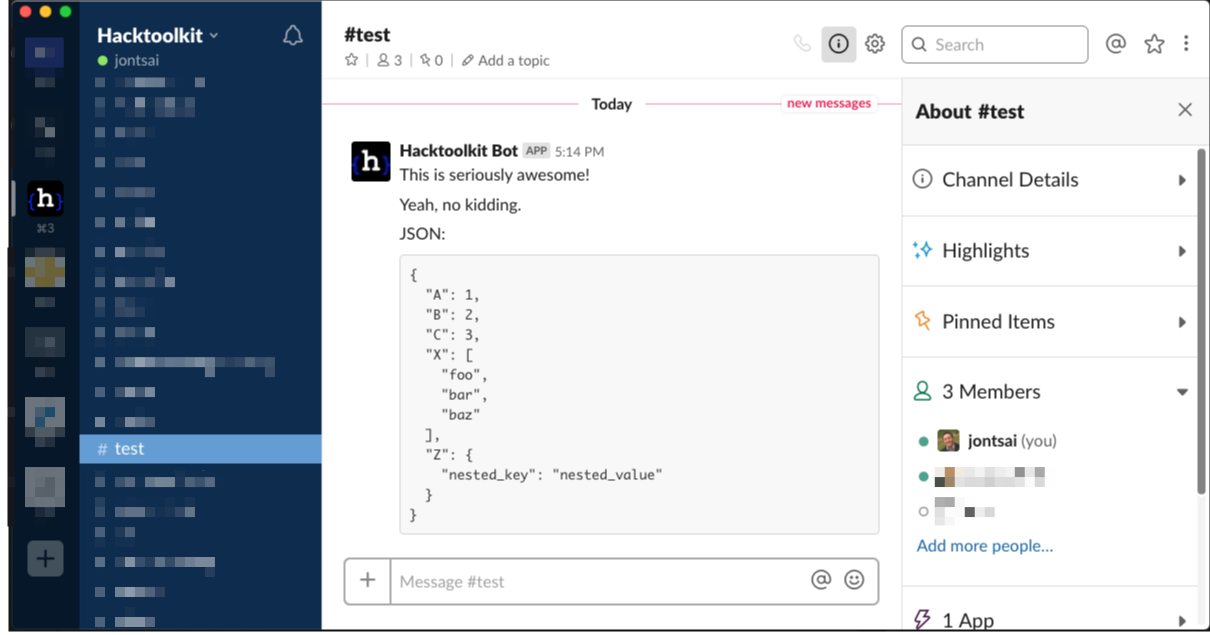
(Alternative link to screenshot above: https://cl.ly/436cfb4383a2) - Profit!
MIT. See LICENSE.md