Admin Alerts Page #394


Description

The problem
Currently, admins have to either go to a graphql playground or write code that sends a graphql request in order to add or remove an alert. It is inconvenient to do either option.
Solution
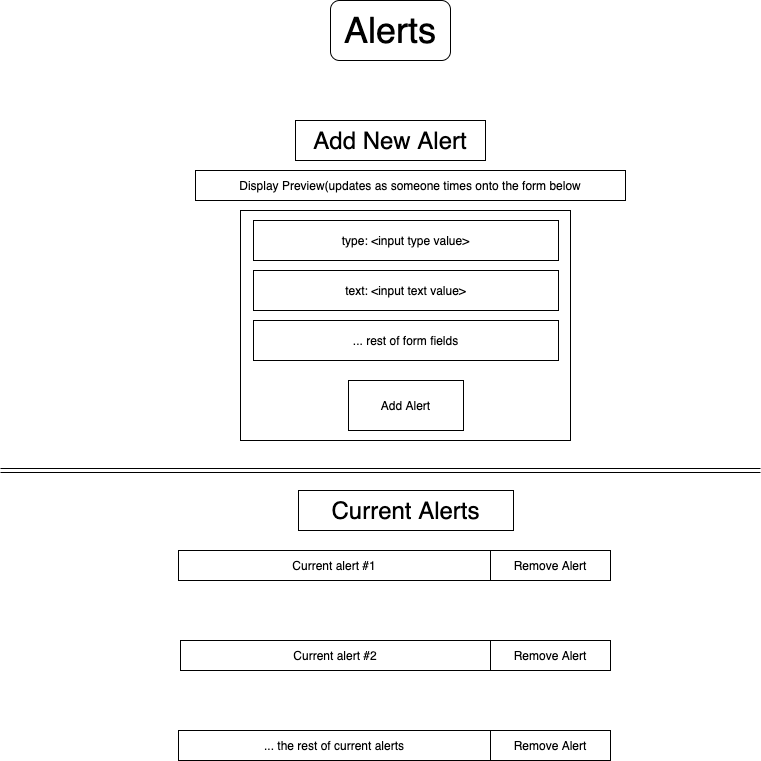
Create an Admin Alerts page so that admins can more easily add or remove alerts on the production site.
Design
All alerts will be displayed with the Alert component
-
Use AdminLayout component with loaded data from withGetApp function.
withGetAppmakes a getApp query to the graphql endpoint for c0d3.com. Relevant to this feature, it retrieves data containing- The user's
admin rightsto verify if they can see the admin page(or an error message is displayed). - All current
alertsin the database
- The user's
-
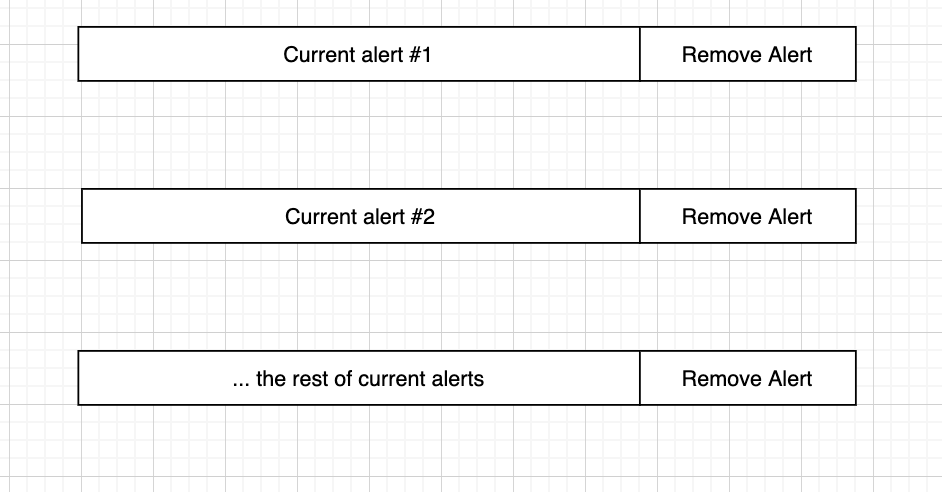
Display all current alerts in the database as they would be displayed on the production site.

-
Add a
Remove Alertbutton to the displayed alerts that will allow users to delete the alert from the production database.- On the front end, clicking the
Remove Alertbutton will send aremoveAlertmutation request to the graphql endpoint for c0d3.com. TheremoveAlertmutation request has not been made yet, and will be put in the graphql/queries folder - On the back-end, this mutation request will use the removeAlert graphql resolver in order to delete an
alertfrom the production database.
- On the front end, clicking the
-
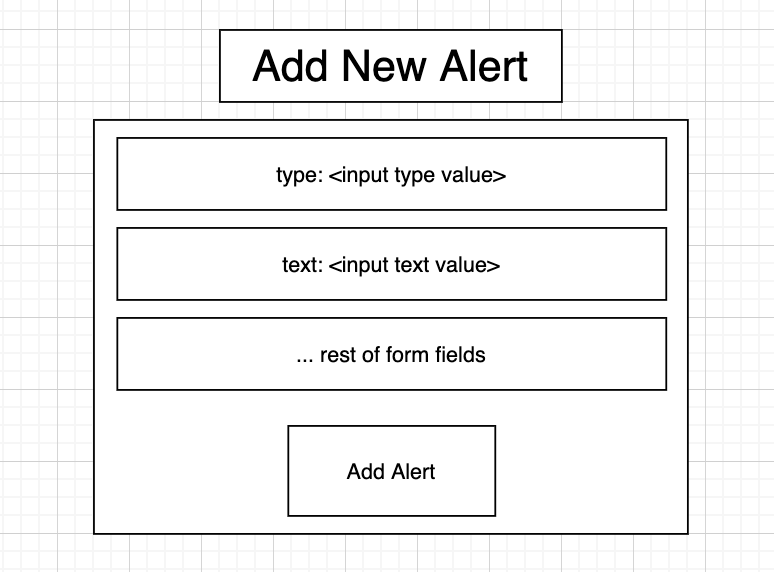
Use FormCard component to use as a form. Use the form to add option of adding new alert into database, and display it above the displayed
current alerts in database.- On the front end, clicking the
Add Alertbutton will send an addAlert mutation request to the graphql endpoint for c0d3.com. On the backend, the addAlert graphql resolver is used to add an alert to the production database.
- On the front end, clicking the
-
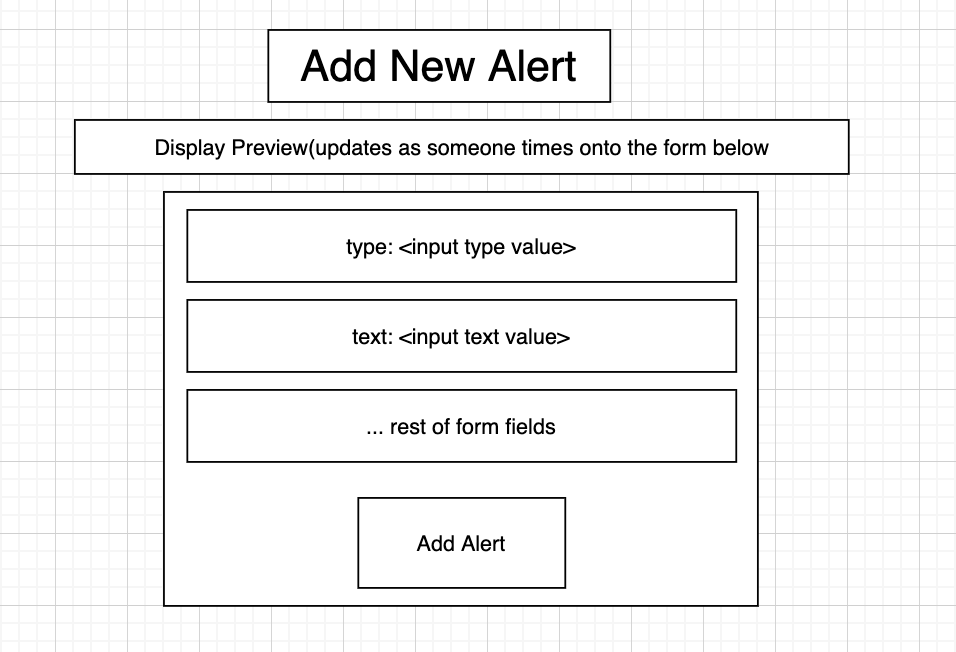
Add
previewfeature abovethe form to add an alert. The preview should be updated as the user types into the form.
-
Use error checking functions in adminHelpers file that use Yup API to error check fields in the
Add New Alertform- A schema for alerts needs to be created in the form validation file in order to error check the
Add New Alertsform withYup API
- A schema for alerts needs to be created in the form validation file in order to error check the
Layout of the Admin Alerts Page