Skip to content

Conversation

@amorist
Copy link
Contributor

@amorist amorist commented Dec 17, 2018

TODO:

  • app logo

  • menubar app

  • TouchBar

  • build

Do you have any advices?

dev

yarn
yarn dev:desktop

build

yarn build:desktop

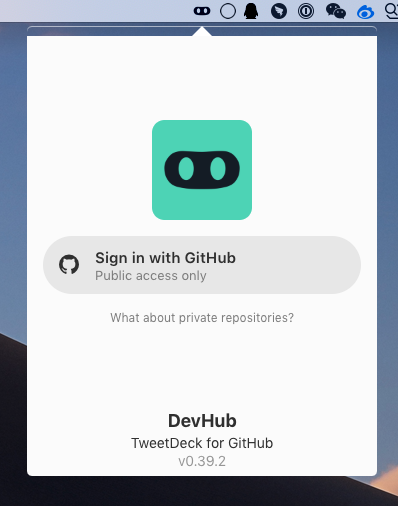
image

@amorist
Copy link
Contributor Author

amorist commented Dec 17, 2018

#2

@brunolemos brunolemos changed the title WIP: desktop client [WIP] Desktop Dec 18, 2018
@amorist
Copy link
Contributor Author

amorist commented Dec 18, 2018

default is menubar app

@amorist amorist changed the title [WIP] Desktop Desktop Dec 18, 2018
@brunolemos brunolemos self-requested a review December 18, 2018 15:31
@brunolemos
Copy link
Member

brunolemos commented Dec 18, 2018

Thanks for your work @amorist, really appreciate it!

Here's a few thoughts:

Code sharing

I see lot's of code was copied from the web project, maybe we could do something to avoid duplication? Since it's a monorepo, one package can use code from the other. Or maybe we could use a npm script with a cp command, so we don't have to always manually duplicate changes between web and electron with the future changes.

Auto update

Can we setup the electron auto update so people always have the latest version?

Top arrow and settings style

See this example of arrow (the settings I'm still not sure if we should do like this):

image

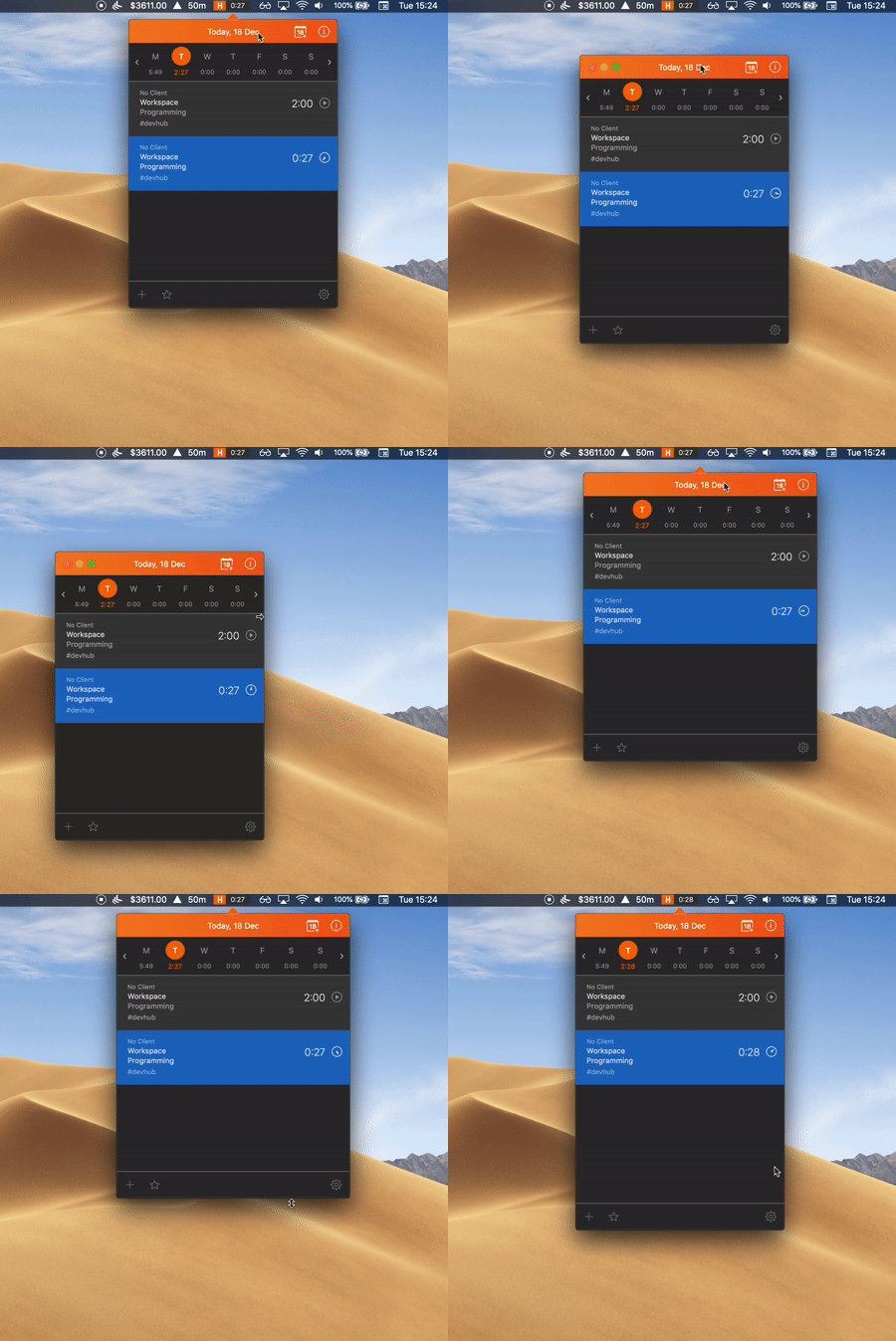
Quick switch between menubar and desktop mode

I like how the app Harvest allows you to drag like this. See that the arrow always stay at the center, and then after o move a certain distance the arrow disappears and it goes into "desktop mode".

kapture 2018-12-18 at 15 33 07

Please note that, as you saw my comment here, in the future I'd love to use react-native-macos and react-native-windows instead of Electron. I don't know if they will work, but I'll definitely play with them later.

@brunolemos
Copy link
Member

brunolemos commented Dec 19, 2018

External links

The authentication link is being opened inside electron, but it should open in the users' default browser, so the user can see the URL and trust it.

The other links are being opened inside electron as a popup, but they should open in the users's browser or replace the current electron window (need to test both ways to see which one is better).

A few bugs

  • When scrolling horizontally (on a small window) it should jump to the next column. It does this on chrome mobile, not sure why not happening on electron
  • App shows the default electron logo at the dock
  • CSS bug when column event filters are opened (scroll not working and visible overflow content)

A few other enhancements

  • Use circle icon instead of square
  • Set min width to constants.MIN_COLUMN_WIDTH

@brunolemos
Copy link
Member

brunolemos commented Dec 19, 2018

electron process.versions.chrome 66.0.3359.181

Ok.

Forgot to mention Carlo, an Electron alternative by Google, instead of bundling with chrome it uses the Chrome from the user machine: https://github.com/GoogleChromeLabs/carlo

@amorist
Copy link
Contributor Author

amorist commented Dec 19, 2018

i will try

if (CSS.supports('scroll-snap-type: x mandatory')) {
  // use css scroll snap
} else {
  // other
}

@brunolemos
Copy link
Member

brunolemos commented Dec 19, 2018

i will try if (CSS.supports('scroll-snap-type: x mandatory')) {

Don't worry about this, electron will eventually upgrade chrome

@amorist
Copy link
Contributor Author

amorist commented Dec 19, 2018

i will try if (CSS.supports('scroll-snap-type: x mandatory')) {

Don't worry about this, electron will eventually upgrade chrome

Yes, electron 4.0.0-beta chrome version is 69.0.3497.106

@brunolemos
Copy link
Member

We can use electron beta if it's not too buggy

@amorist
Copy link
Contributor Author

amorist commented Dec 19, 2018

We can use electron beta if it's not too buggy

OK!

@brunolemos brunolemos changed the title Desktop [WIP] Desktop Dec 19, 2018
@amorist
Copy link
Contributor Author

amorist commented Dec 20, 2018

Update:

  • Code sharing WIP

  • Auto update WIP

  • Quick switch between menubar and desktop mode
    kapture 2018-12-20 at 15 05 14

  • Top arrow and settings style
    Mojave dark mode causes a white line at the top of Electron apps electron/electron#13164 (comment)
    image

  • External links: The authentication link is being opened inside electron, but it should open in the users' default browser, so the user can see the URL and trust it. WIP

  • When scrolling horizontally (on a small window) it should jump to the next column. It does this on chrome mobile, not sure why not happening on electron upgrade electron version 4.0.0-beta.11

  • App shows the default electron logo at the dock unpackaged app default logo

  • CSS bug when column event filters are opened (scroll not working and visible overflow content)
    A few other enhancements

  • Use circle icon instead of square

  • Set min width to constants.MIN_COLUMN_WIDTH

@brunolemos
Copy link
Member

CSS bug when column event filters are opened (scroll not working and visible overflow content)

Fix is on master

Use circle icon instead of square

PNG assets are on master (https://github.com/devhubapp/devhub/tree/master/packages/mobile/assets)

@brunolemos
Copy link
Member

Quick switch between menubar and desktop mode
Top arrow and settings style

Looking nice! 🤩

@brunolemos
Copy link
Member

Code sharing

Don't worry about this now, we can improve this in the future

External links: The authentication link is being opened inside electron
Auto update

Just these left I think right? 🎉
I don't know much about the auto update, do I have to create some account somewhere?

@amorist
Copy link
Contributor Author

amorist commented Dec 21, 2018

Code signing is required on macOS

@amorist
Copy link
Contributor Author

amorist commented Dec 21, 2018

External links: The authentication link is being opened inside electron

I don't know how auth when authentication link opened by user default browser

now authentication link inside electron, other link use default browser

 app.on('web-contents-created', (event, webContents) => {
   webContents.on('new-window', (e, url) => {
     if (!url.includes('https://api.devhubapp.com/oauth')) {
       e.preventDefault()
       shell.openExternal(url)
     }
   })
 })

@brunolemos
Copy link
Member

brunolemos commented Dec 22, 2018

I plan to work on this today.

@brunolemos brunolemos changed the title [WIP] Desktop Desktop Dec 22, 2018
@brunolemos brunolemos merged commit 0a96481 into devhubapp:master Dec 22, 2018
@brunolemos brunolemos mentioned this pull request Dec 22, 2018
53 tasks
@brunolemos
Copy link
Member

Thanks for your work @amorist, really appreciate it! 🎉🎉

I've opened #69 and will continue work there.

I'd love if you could keep helping with the desktop apps!
Hopefully we can launch them soon.

@brunolemos brunolemos added this to the v0.41.0 milestone Dec 22, 2018
@amorist amorist deleted the desktop branch December 24, 2018 01:03
Sign up for free to join this conversation on GitHub. Already have an account? Sign in to comment

Labels

Projects

None yet

Development

Successfully merging this pull request may close these issues.

2 participants