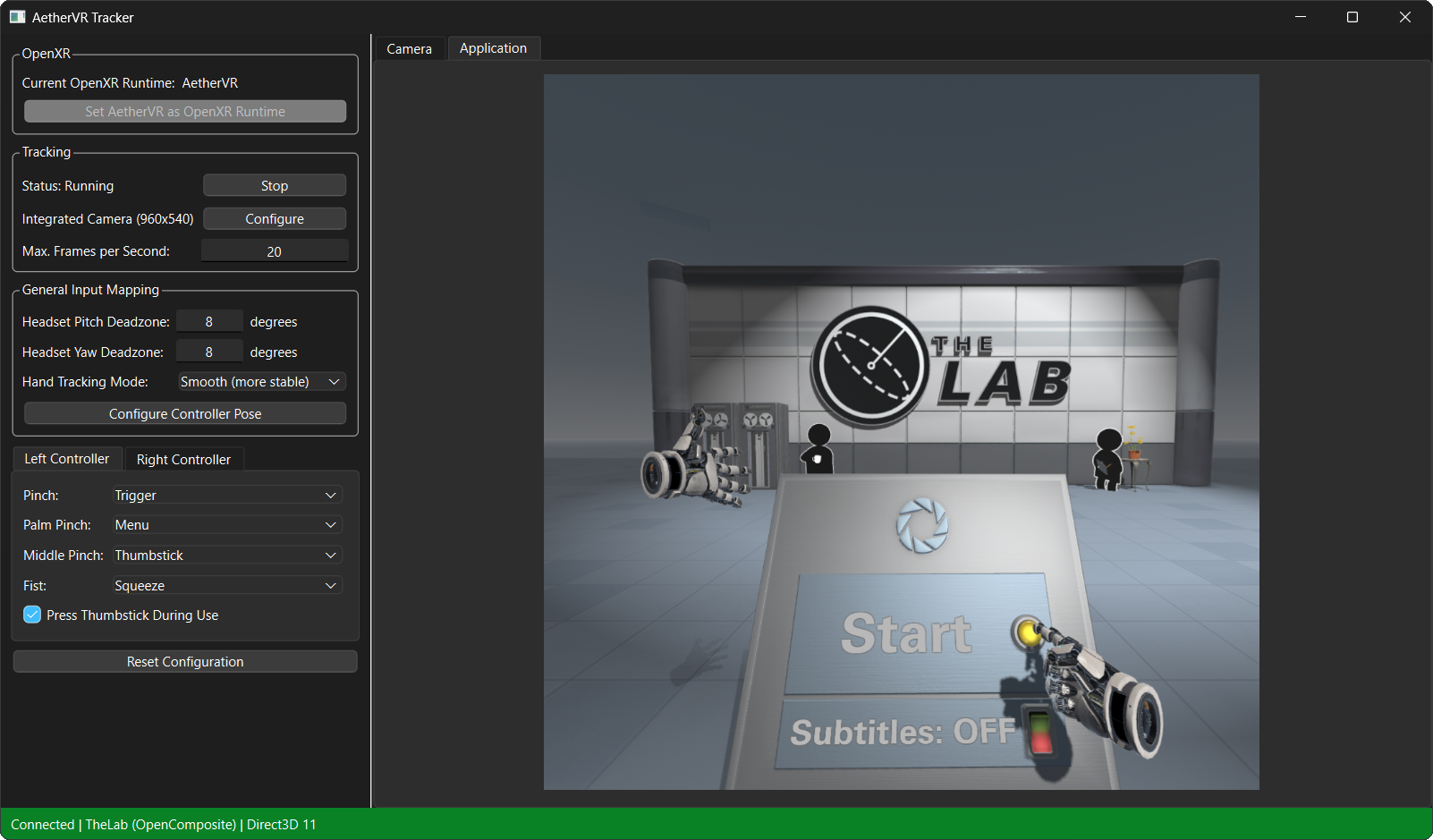
AetherVR is a tool to run VR games/applications on PC without a VR headset. The system tracks your head and hands using nothing but a webcam and translates the results into virtual headset and controller inputs that are passed on to VR applications. This is done using a custom OpenXR runtime that tricks applications into thinking they are connected to actual VR hardware. For more information, see this demo video.
Caution
PLEASE NOTE: This is just a proof of concept and not a replacement for a real VR headset. The hand tracking is very janky and aiming at things or grabbing them is still pretty hard. Don't use this to play actual VR games.
- Hand tracking only really works when the palm faces the camera. Don't rotate your hands too much.
- Moving your hands too quickly stops them from being recognized.
- Gestures can be erroneously detected if the hand faces the camera at a weird angle.
- Tracking may have issues when the camera image doesn't have enough contrast.
- The camera has to be mounted in front of the user.
- Head position tracking isn't supported at the moment.
- Currently, only Direct3D 11 supports all features.
If you want to use AetherVR with standalone apps (e.g. from Steam), you can install it globally by setting AetherVR as the system OpenXR runtime. Note that this will replace your previous OpenXR runtime (if you had one) and that all OpenXR apps will use AetherVR from now on.
- Run
aethervr_tracker.exeas administrator - Click
Set AetherVR as OpenXR Runtime - Run your VR application
To use your previous OpenXR runtime, open the settings of your VR vendor's app and look for a button that says something like 'set myself as the active OpenXR runtime'.
If you don't want to change your OpenXR runtime globally, you can select AetherVR in Unity for use as the play mode OpenXR runtime.
- Make sure your graphics API is either Vulkan or D3D11
- Go to
Edit > Project Settings > XR Plug-in Management > OpenXR - Click
Play Mode OpenXR Runtimeand selectOther - Enter the path to
openxr_runtime.json - Run
aethervr_tracker.exe - Enter play mode
No idea, Unreal Engine 5 hasn't finished downloading yet.
AetherVR can be used to play SteamVR games by using OpenComposite as a translation layer from OpenVR calls to OpenXR calls. You should be able to install AetherVR and OpenComposite on your system and it should just work, though crashes are to be expected.
See this guide.
These are the steps you need to follow to build and run AetherVR manually.
- Python
- Visual Studio Build Tools
- Banjo
Clone this repository, open it in PowerShell, and run these commands:
cd openxr_runtime
banjo2 build
cp openxr_runtime_windows.json out\x86_64-windows-msvc-debug\openxr_runtime.json
cd ..\display_surface
banjo2 build
cd ..\camera_capture
banjo2 build
cd ..\tracker
python -m venv venv
.\venv\Scripts\activate
pip install -r requirements.txt
python aethervr_tracker.py- Python
- An LLVM toolchain
- Banjo
Clone this repository, open the repository in a terminal, and run these commands:
cd openxr_runtime
banjo2 build
cp openxr_runtime_linux.json out/x86_64-linux-gnu-debug/openxr_runtime.json
cd ../display_surface
banjo2 build
cd ../camera_capture
banjo2 build
cd ../tracker
python3 -m venv venv
source ./venv/bin/activate
pip install -r requirements.txt
python aethervr_tracker.py- Python
- Xcode
- Banjo
Clone this repository, open the repository in a terminal, and run these commands:
cd openxr_runtime
banjo2 build
cp openxr_runtime_macos.json out/aarch64-macos-debug/openxr_runtime.json
cd ../display_surface
banjo2 build
cd ../camera_capture
banjo2 build
cd ../tracker
python3 -m venv venv
source ./venv/bin/activate
pip install -r requirements.txt
python aethervr_tracker.pyThe OpenXR runtime (aethervr.dll) is a shared library written in the Banjo
programming language. It currently
supports applications that use Vulkan, D3D11, or Metal as their graphics API.
The runtime currently implements these extensions:
| Extension | Version |
|---|---|
| XR_KHR_D3D11_enable | 9 |
| XR_KHR_vulkan_enable2 | 2 |
| XR_KHR_metal_enable | 1 |
| XR_KHR_win32_convert_performance_counter_time | 1 |
| XR_KHR_composition_layer_depth | 6 |
The AetherVR tracker (aethervr_tracker.exe) is a Python application that
tracks landmarks on the users head and hands using MediaPipe, converts them to
virtual headset and controller inputs, and sends them to the OpenXR runtime over
TCP.