ClearText is an AI-powered text detection and enhancement tool that helps make text in images more readable and clearer. Perfect for improving the legibility of text in scanned documents, photos, and other images.



Connect with fellow ClearText users, share your experiences, get support, and stay updated with the latest developments in our growing Slack community!
- 🖼️ Minimum required dimensions:
Width: 1280 pixels Height: 960 pixels - ❌ Images smaller than these dimensions may produce poor results
- ✅ Larger images will be automatically resized while maintaining aspect ratio
- 💡 For best results, use high-resolution images (2000x1500 or larger)
If you find this tool useful, consider becoming a sponsor for $1/month and get priority support!
- 📄 Document Digitization
- 📚 Book Scanning
- 📱 Mobile Photos of Text
- 🖨️ Improving Scanned Documents
- 📑 Text Enhancement in Images

- Docker 🐳
- High-resolution text images 🖼️
├── data/ # Add your high-res images here
├── onnx/ # ONNX model will be exported here
├── weights/ # model.onnx model goes here
├── outputs/ # Detection results will be saved here
├── Dockerfile
-
Add Images and download pth file 📸
- Place your high-resolution text images in the
datadirectory - Download pytorch model from here, and save it in
weightsfolder
- Place your high-resolution text images in the
-
Build Docker Image 🔨
docker build -t text-clear:latest . -
Run Docker Container 🐳
docker run -p 8501:8501 text-clear:latest
-
This runs the streamlit app on port 8501. Open your browser and go to http://localhost:8501 to use the app.
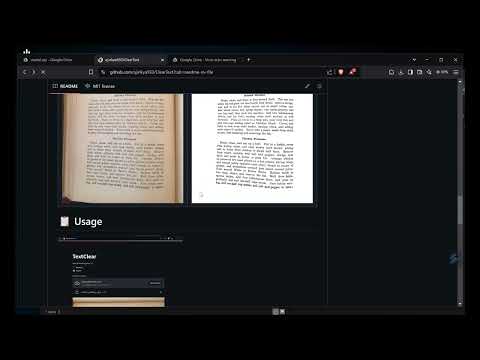
Here's an example of what ClearText can do:
IMG_0274.JPG IMG_0274.JPG| Input Image | Output Image |
 |
 |
 |
 |


- Open the web interface
- Select processing mode (Normal/Sharp)
- Upload an image
- Click "Process Image"
- Download the processed result
- 🛠️ Direct assistance with project-related issues and customizations
- 💡 Technical consultation for your specific use cases
- 🚀 Early access to new features and improvements
- ⭐ Recognition in our sponsors list
Your sponsorship helps maintain and improve ClearText, ensuring it remains a robust and reliable tool for the community. Every contribution, no matter how small, makes a difference!
This project uses a dual licensing model:
- Licensed under MIT License (see CRAFT_LICENSE file)
- Covers the text detection functionality
- Licensed under ClearText License (see CLEARTEXT_LICENSE file)
- Covers all enhancements and additional features
- Available under two options:
- Non-commercial use only
- Personal projects
- Academic research
For business/commercial use of ClearText's enhanced features:
- Production-ready ONNX implementation
- Custom image enhancement
- Docker deployment
- Enterprise support