Autocompletion of session variables in Rmd #762

Description

Describe the bug
When writing the name of a data frame followed by $ the column names should pop up; they do in a plain R script, but not in R Markdown. It might relate to #213 and be a languageserver issue, but (REditorSupport/languageserver#424 (comment)) suggests that it shoudl be working natively with vscode-R.
To Reproduce
Steps to reproduce the behavior:
- Create dummy data frame in a fresh R/Rmd script (e.g.
df <- data.frame(x = c(1, 2, 3), y = c(4, 5, 6))) - Start new line with
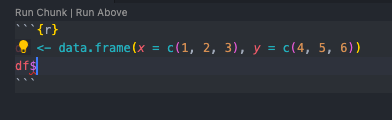
df$- in the plain R script you'll see the column suggestions, in Rmd you won't.
Do you want to fix by self? (We hope your help!)
No (sorry!)
(If yes,) what kind of help do you want? (e.g. Which file should I fix, Survey (related documents)
In case it's just because I've missed a setting or something similar, then a pointer - otherwise consider it a feature request. :-)
(If related)setting.json
{
    "editor.formatOnType": true,
    "workbench.colorTheme": "One Dark Pro",
    "r.rterm.mac": "/Users/myusername/opt/anaconda3/bin/radian",
    "r.bracketedPaste": true,
    "r.plot.useHttpgd": true,
}
Expected behavior
I would expect the same behaviour in Rmd as in plain R.
Screenshots
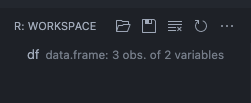
Data frame present in workspace:
Autocompletion in plain R:

Autocompletion doesn't see the session variables in Rmd:
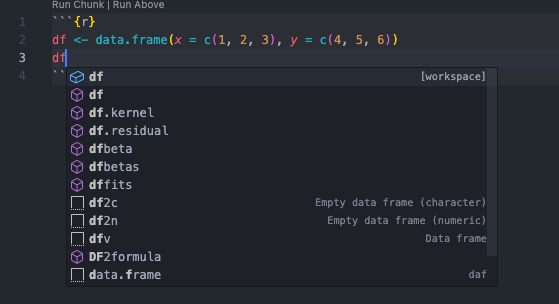
But autocomplete works for non-session objects:
Environment (please complete the following information):
- OS: MacOS Big Sur
- VSCode Version: 1.60.0-insider
- R Version: 4.1.0
- vscode-R version: 2.2.0