implement multiple-levels fold section of r document #529
Conversation


| if (length(comments) == 0) { | ||
| if (identical(length(comments), 0L)) { | ||
| return(NULL) | ||
| } |
There was a problem hiding this comment.
Continous comment lines will break the multiple levels fold, so we cancel comment fold when observing a r document section signatures - at least 4 of one of c("#", "+", "-", "=", "*")
R/utils.R
Outdated
| } | ||
|
|
||
| # indent can be indicative of symbol object in vscode outline | ||
| get_r_document_label_sections <- function(line_seq, doc_content) { |
There was a problem hiding this comment.
I rename previous called subsection into label_section for it only provides a label without fold support
R/utils.R
Outdated
| # define suffix labels and prefix labels for section | ||
| # enable adding further labels easily | ||
| section_suffix <- c("#", "+", "-", "=", "*") # at least 4 | ||
| sub_section_prefix <- c("*", "-", "+", "=") |
There was a problem hiding this comment.
the prefix used to indicate the title levels

|
Thanks for working on this. I'll take a closer look later today. |
|
Now, more than two blank lines out of function ( |
|
|
I was wondering if RStudio has multi-level foldable regions. I took a look at https://support.rstudio.com/hc/en-us/articles/200484568-Code-Folding-and-Sections-in-the-RStudio-IDE, and it seems that it only defined top-level section. |
Would you like to provide an example for each of these? Also, look like the syntax might add too much complexity. I don't figure out how I can create a third level section without creating a code chunk. and for the following code chunk I expected that folding only applies to the chunk since the syntax of both code chunk # %% *** third level ----
b <- 2:3
# %%I feel quite a bit confused with the proposed syntax at the moment. |
|
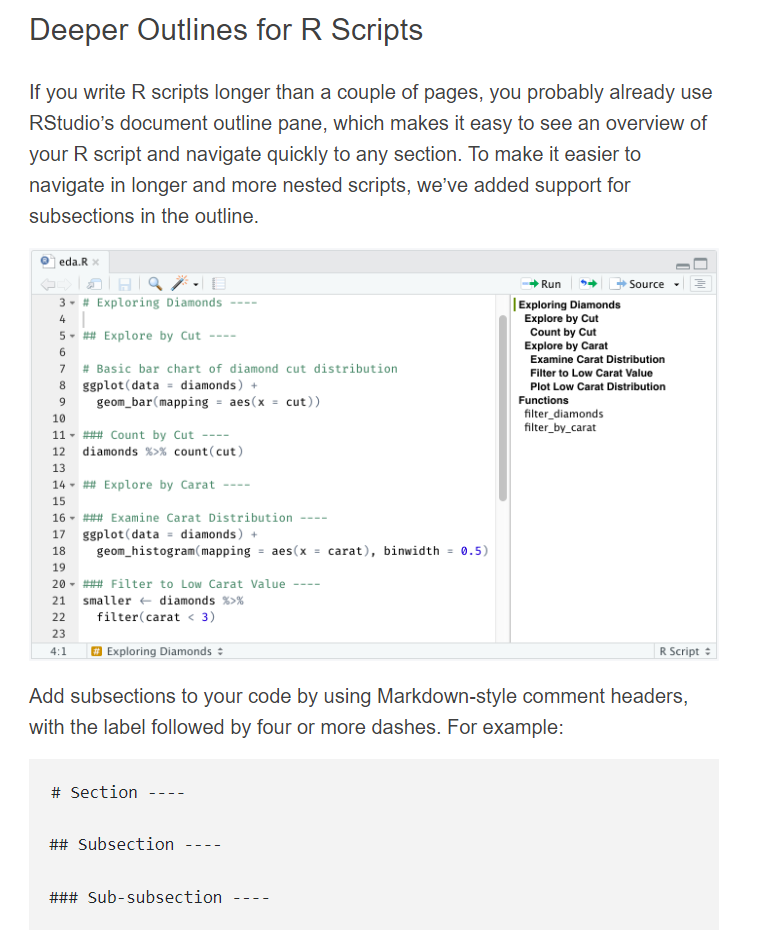
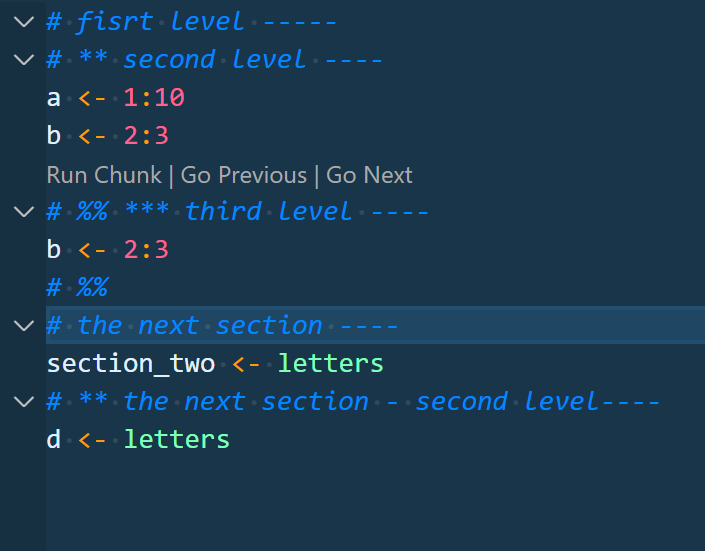
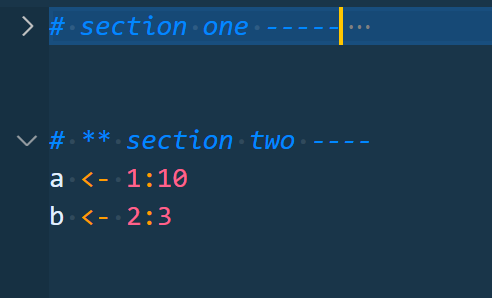
Sorry for the poor explanation, I remember RStudio can only define top-level sections before, but it can define multi-level sections now see below picture from this link. we can also define section using one of suffix I see vscode-r define fold region in If we choose to use the same way of Sorry, I cannot make my vscode screen recorder (like screen-recorder and Chronicler) work, please install via see blow example:
Further, more than one blank lines out of
And the current one-line range (referred here #163 (comment)) which provides just a symbol in outline is also kept by combining one of suffix
|

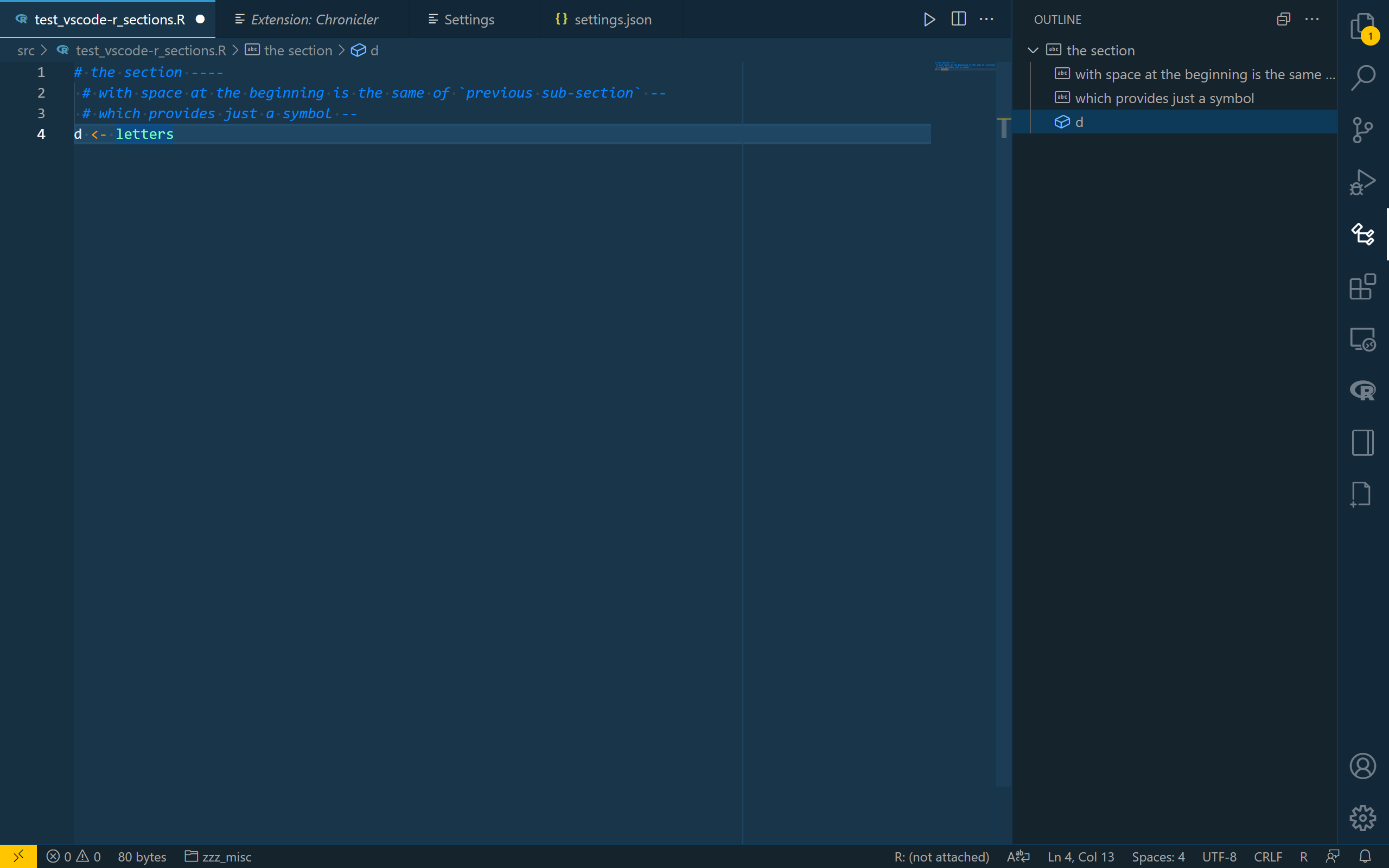
|
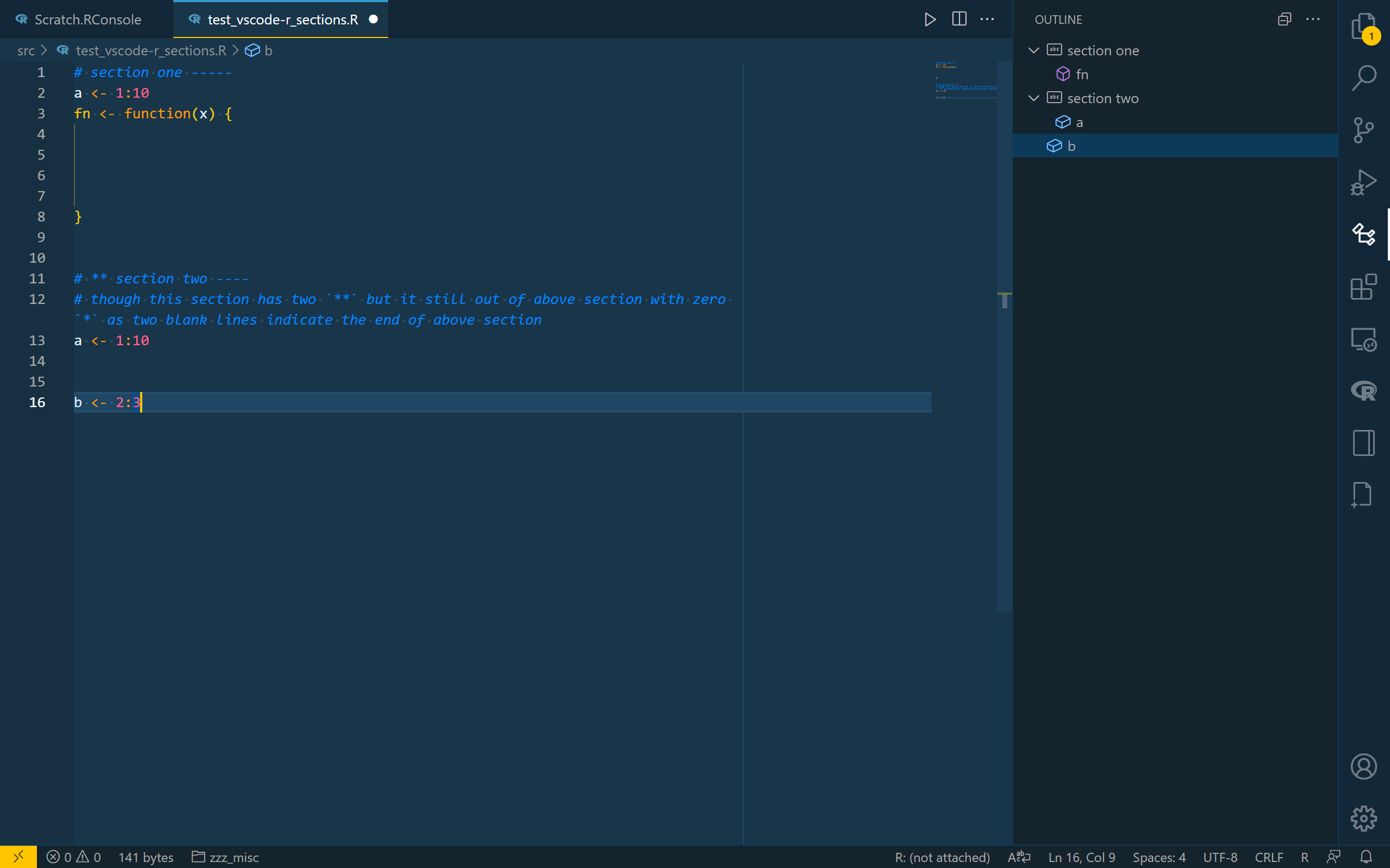
I find I only implement section breaks for folding (more than one blank lines out of block ranges could indicate the end of current section). But I didn't implement it for symbol in the vscode outline viewer , it would require us to re-construct this code too as we should include |
|
I have tested all of these, it seems no error occur and more than one blank lines (break sections) could also work in vscode outline viewer |
|
|
If we add |
The code chunk doesn’t matter, we can define any levels of section no matter if the beginning has a code chunk indication |
|
Now, |
|
|
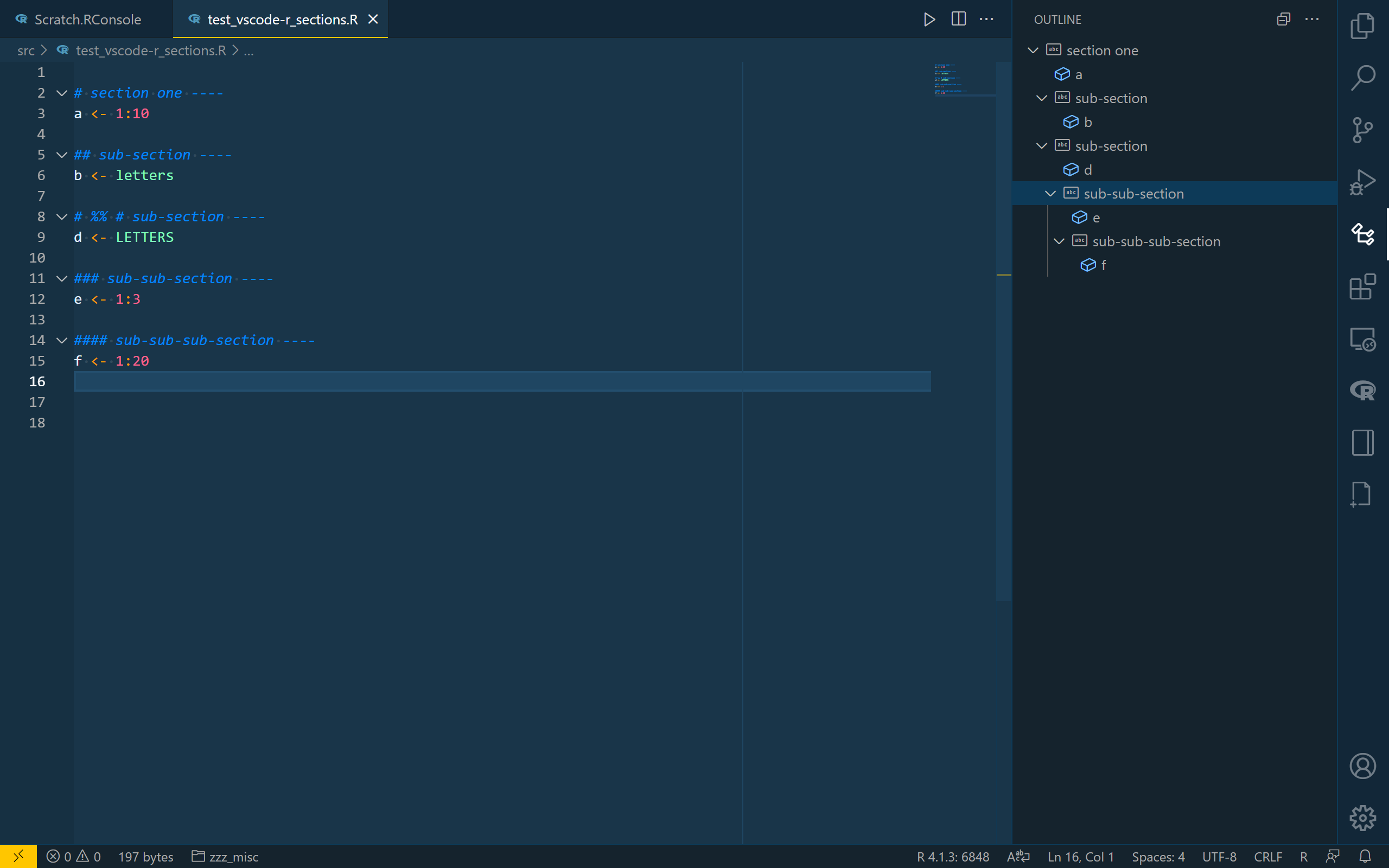
|
if
For other section level token
|
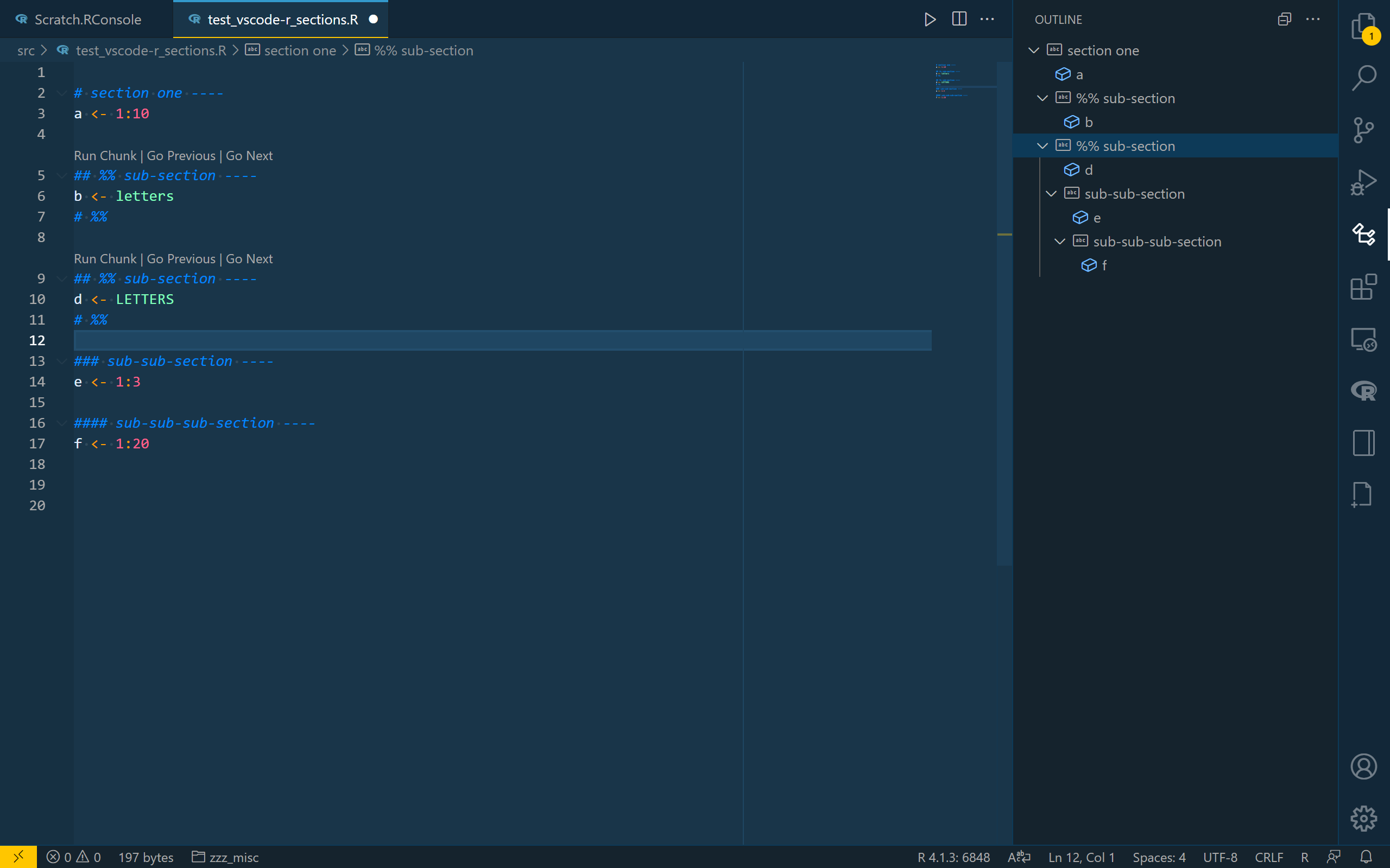
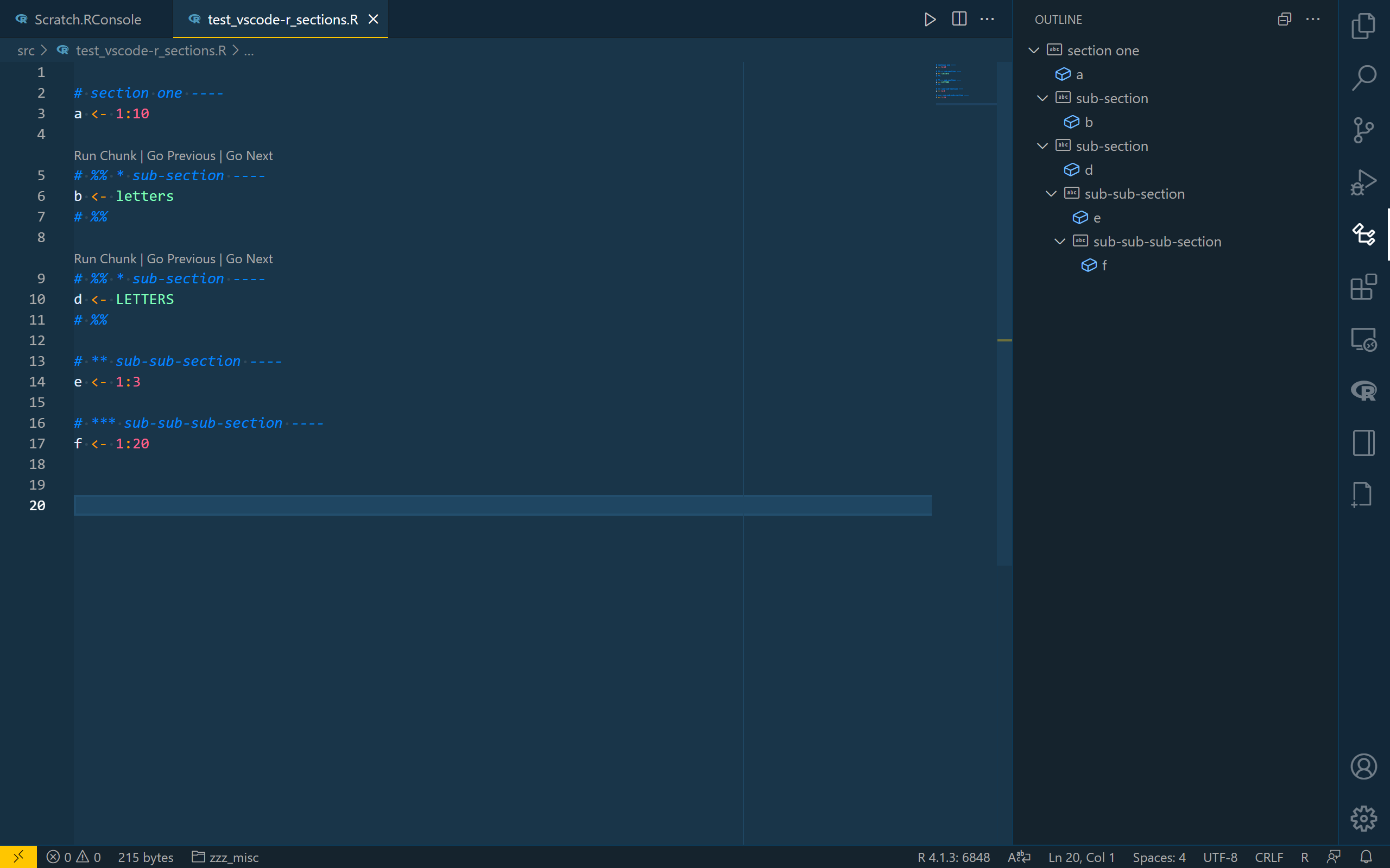
|
Thanks for the updates. Should we just keep the RStudio syntax like markdown titles for sections so that users won't get confused? |
|
Thanks for your suggestions @renkun-ken, I have omitted other section level indicative token and added more comment for this. |
|
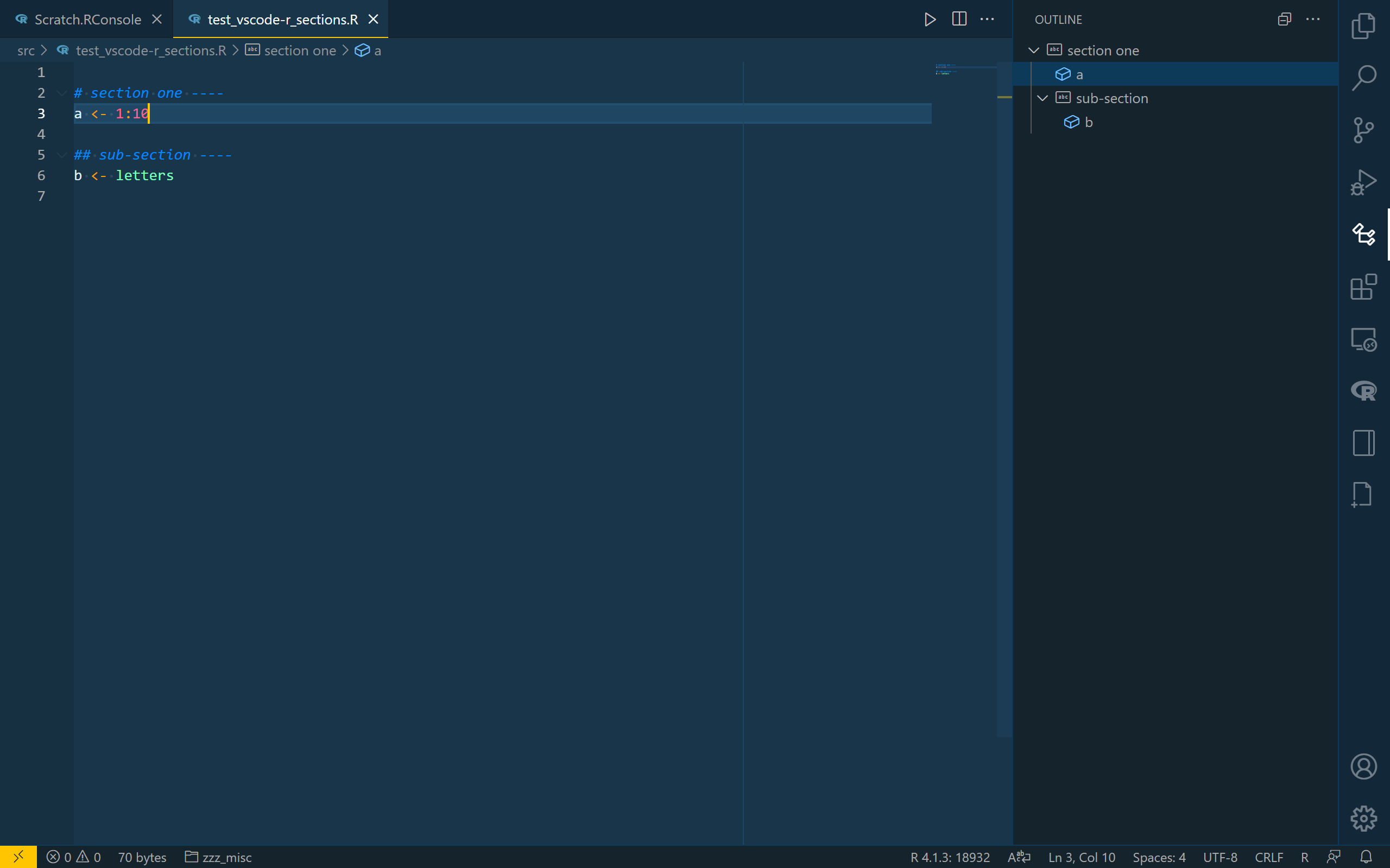
Now this behave consistently with RStudio. See following example:
|
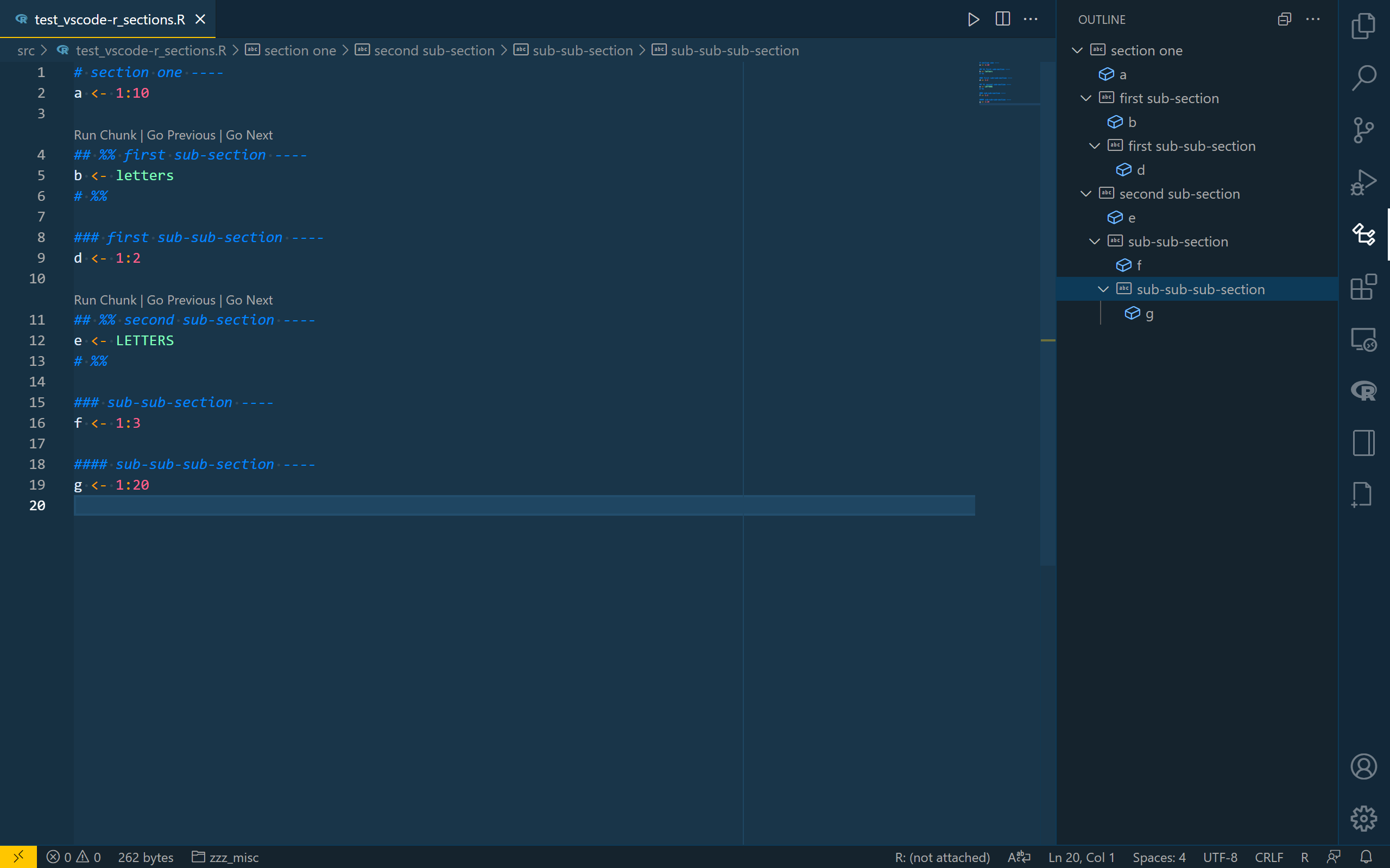
R/folding-and-symbols-helper.r
Outdated
| # *** numbers over 2 is indicative of section name (section range with one line) | ||
| # *** see `get_r_document_one_line_symbols` | ||
| section_symbol_regex <- paste0( | ||
| "\\", section_mark_suffix, "{2,}", |
There was a problem hiding this comment.
Hi, @renkun-ken, another change I have made is this section symbols which were implemented by 95803b2, which used at least four tokens (c("#", "+", "-", "=", "*")) and indention to execute code subsection. I have decreased this into only two, as much nested function will easily exceed 80 characters. Is this a good choice ?

There was a problem hiding this comment.
I guess we better be aligned with RStudio syntax when there is no significant benefit. Maybe we could revisit this until there is much complaint about this.
There was a problem hiding this comment.
Thanks for your suggestions @renkun-ken, it'll be really better if this can be consistent with RStudio completely. The implements of internal sub-sections of function need some works for me, but I should prepare for my graduation now, I'll back for this sometime this year.
There was a problem hiding this comment.
Would you mind if I do some modification to the PR? I'll do some style modification and add some test cases, and then I'll merge it for now.
There was a problem hiding this comment.
And good luck with your graduation :)
There was a problem hiding this comment.
Of course, it won't be better and thanks, renkun
There was a problem hiding this comment.
😷Poor english, Sorry. Last expression can be wrong, I meant that It would be great if you could help me😷this may be what I want.
|
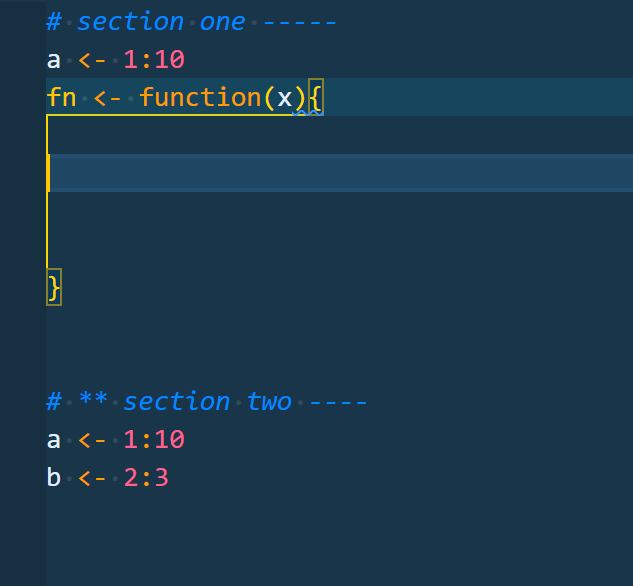
@renkun-ken , I have re-designed the framework of implementing folding ranges by using recursive function. and now, we can make sub-section everywhere in r document no matter whether the codes are in Here is some example code and picture:
|

|
But the |

|
more complex nested blocks can work
|
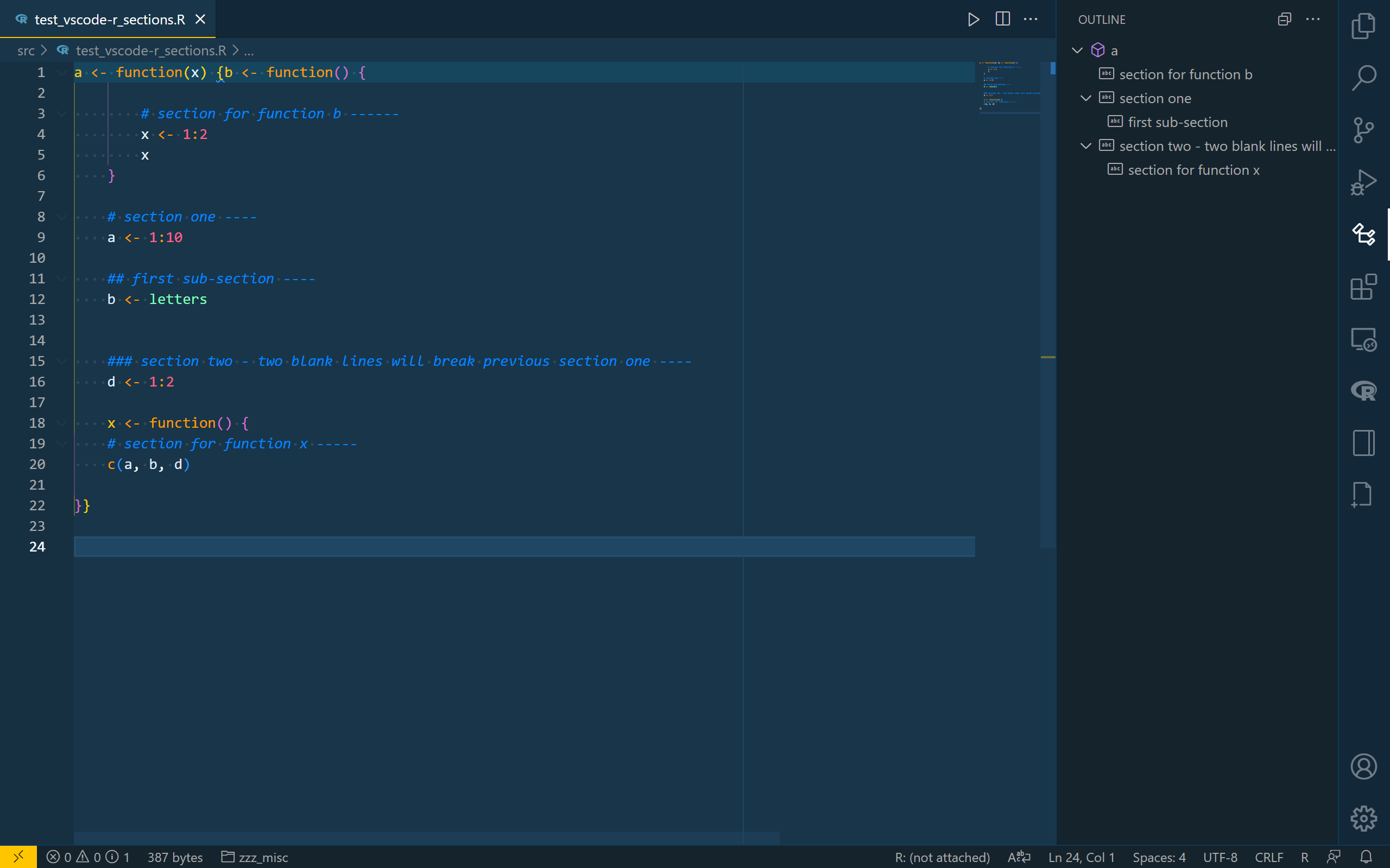

|
Sorry, I found I pulled the merge process from branch 'upstream/master' into this. I'll close this in case of messing code. I'm not famaliar with Git operation. Sorry. |

|
This looked good and would have been very useful - any chance the PR can be revived and merged? |
|
I'll pull these for the developer to review when they have time. |

|
I agree! Would be awesome to have this :-) |
4 participants


This PR extend current single-level fold-section (#163) by implementing multiple-levels fold section for r documents.
Current sub-sections just provide a symbol in outline. Now, we can use one of these
c("*", "-", "+", "=")to implement sub-fold, sub-sub-fold, sub-sub-sub-fold and more.These characters work just like
"#"in markdown file, where one indicates first-level, both indicates second-level, three indicates third-level and more ... And we can fold-unfold them based on their section-levelsJust put one of these characters next to the comment character "#" in a R file.
Moreoever, this PR also prunes section names by removing
%%which is indicative of markdown chunk in R files implemented by REditorSupport/vscode-R#662.Here is some examples (see the outline panel):
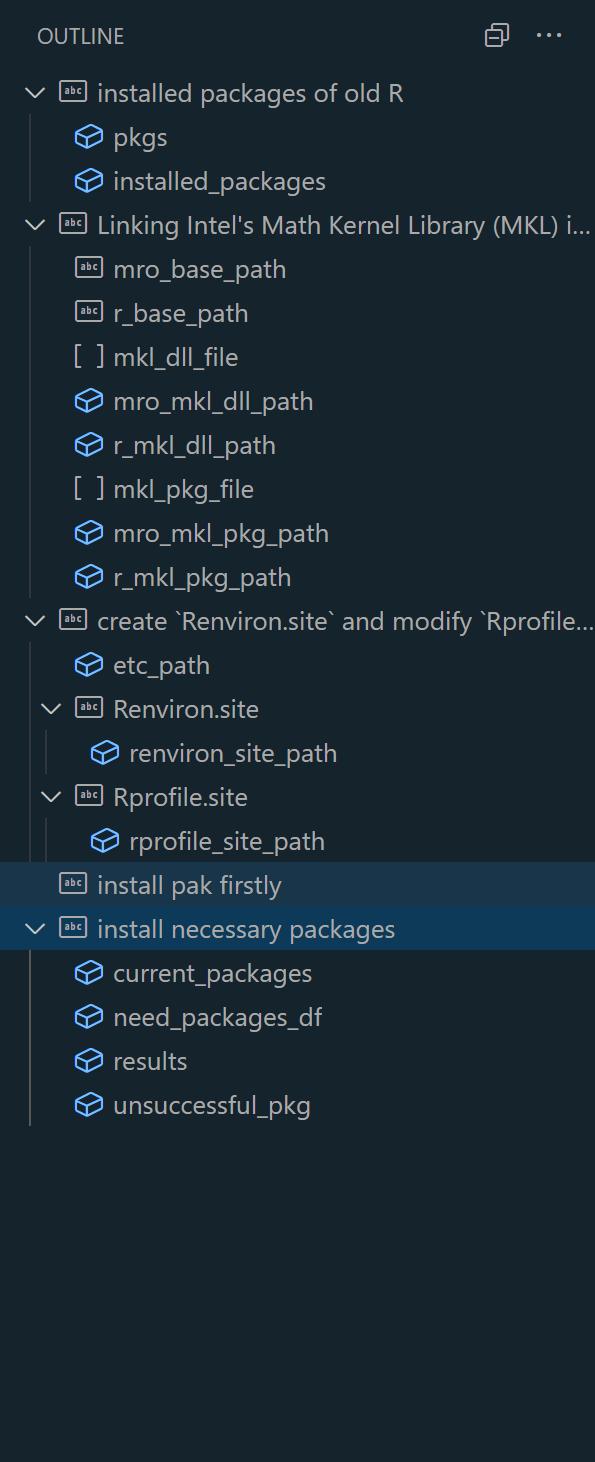
An example outline: