The Merge Button
With Pull Requests 2.0, it became easier than ever to review code and accept patches. We use pull requests extensively at GitHub, and I love receiving pull requests on my…
With Pull Requests 2.0, it became easier than ever to review code and accept patches. We use pull requests extensively at GitHub, and I love receiving pull requests on my open source projects.
Take, for example, this pull request for a documentation fix in God:
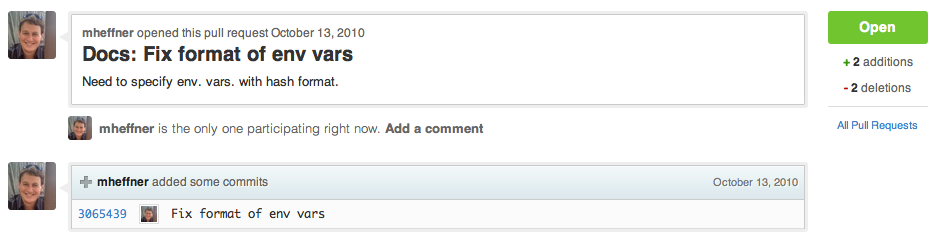
Traditionally, merging this pull request required multiple steps via the git command line. Not anymore!
All pull requests now include a Merge Button:

If a merge conflict is detected, the button is replaced with manual merge instructions:

A single click on the button automatically merges and closes the pull request:
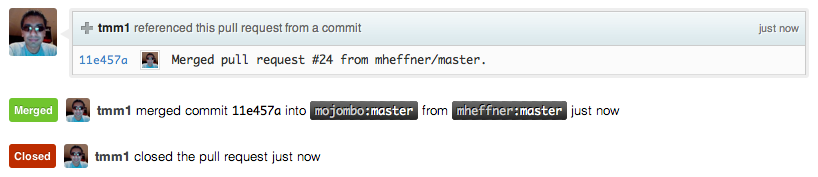
The merge always generates a merge commit (git merge --no-ff), which contains the number, source and title of the pull request:

Try it out on some of your pull requests. Have fun merging!
Written by

Related posts

The new identity of a developer: What changes and what doesn’t in the AI era
Discover how advanced AI users are redefining software development—shifting from code producers to strategic orchestrators—through delegation, verification, and a new era of AI-fluent engineering.

Your stack, your rules: Introducing custom agents in GitHub Copilot for observability, IaC, and security
Use partner-built Copilot agents to debug, secure, and automate engineering workflows across your terminal, editor, and github.com.

The ultimate gift guide for the developer in your life
Finding the perfect gift for your favorite developer is easy with our top tips.